Getting Started
Update or Remove RapidStart
How to update RapidStart to the latest version and how to safely remove them from your Dataverse environment.
Updating RapidStart
When a new version of a RapidStart App is available, you will see an update notification in the Power Platform Admin Center. Updates are free and recommended.
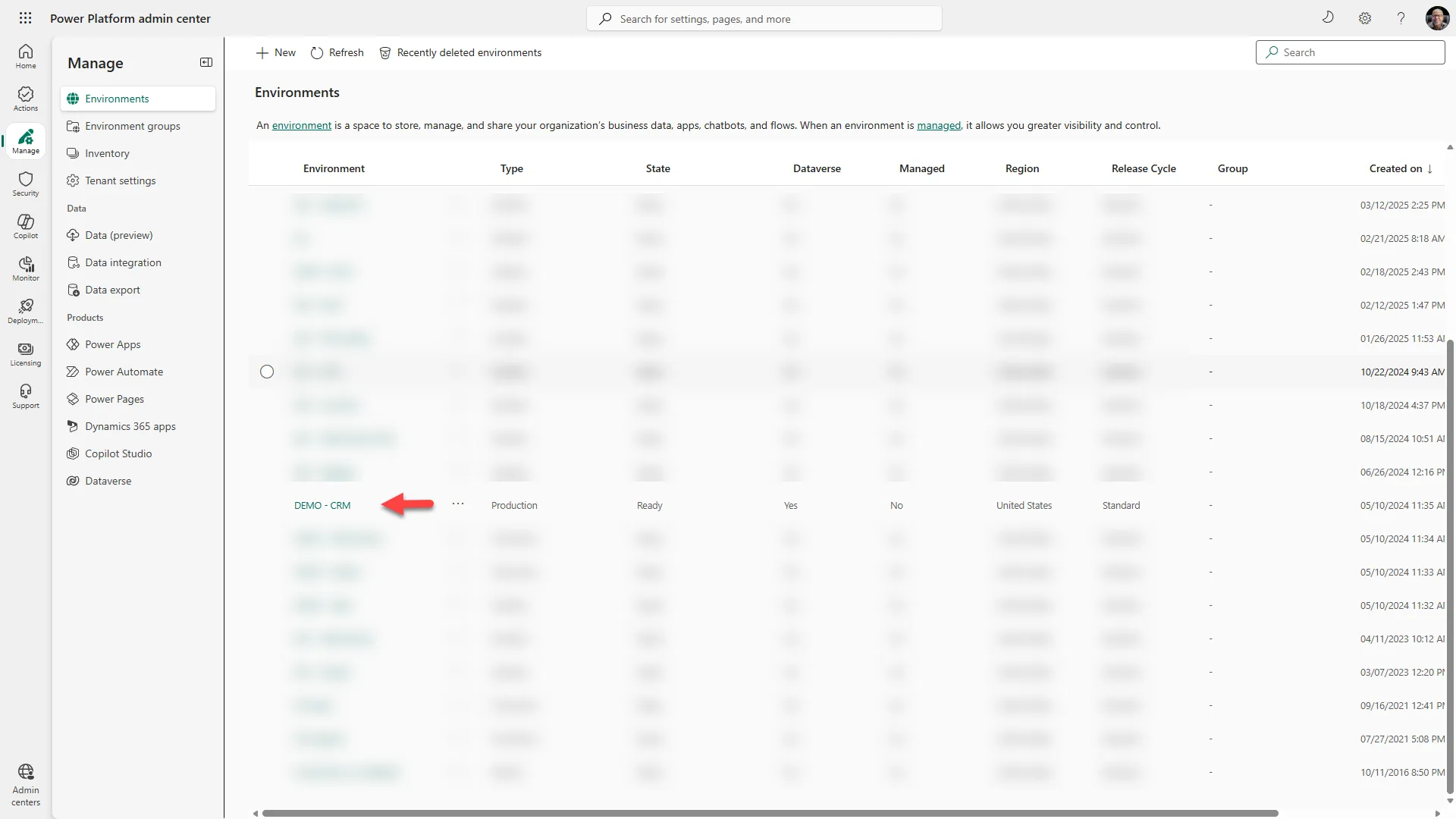
- Go to the Power Platform Admin Center.
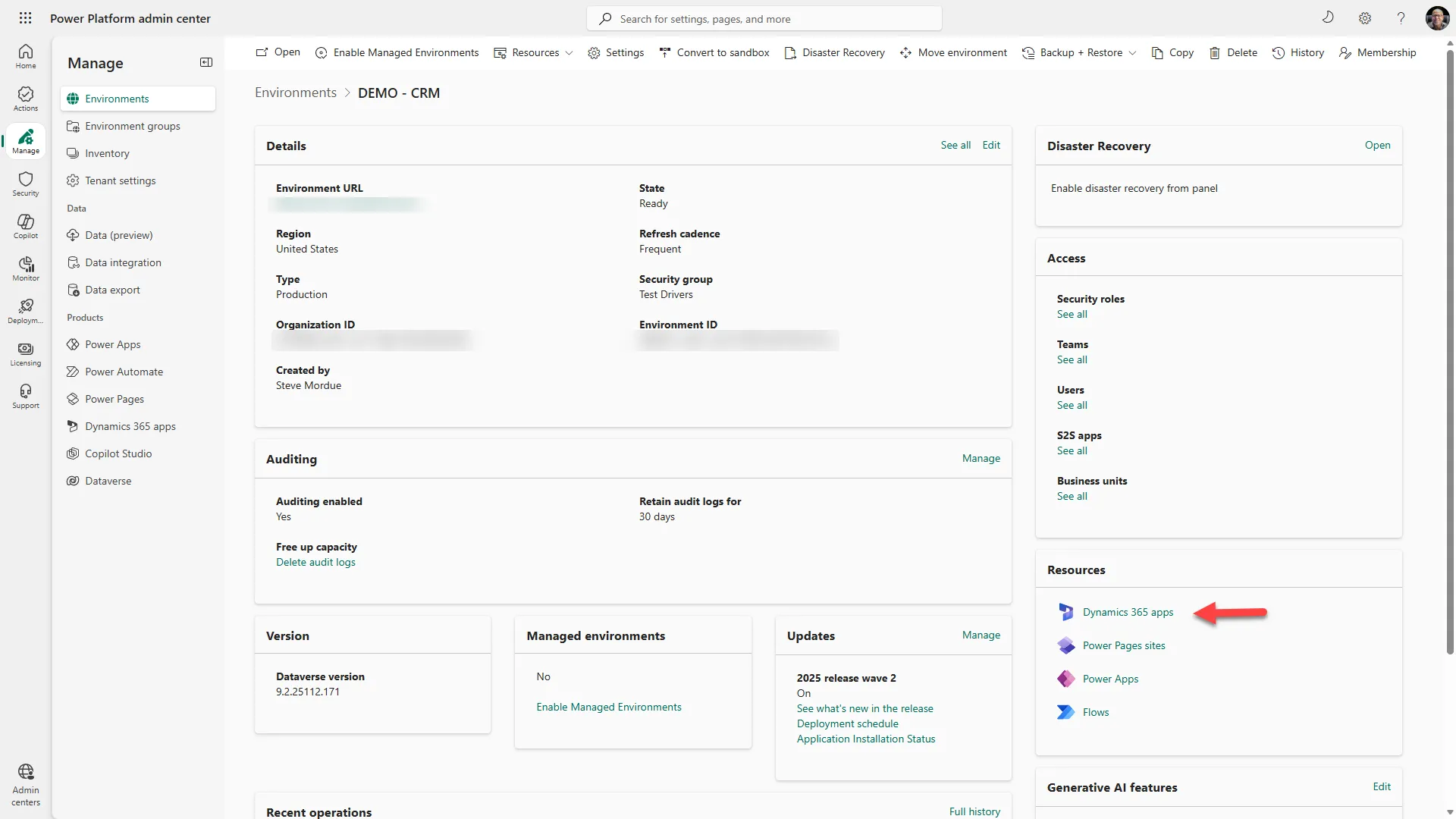
- Select your environment and click Resources → Dynamics 365 apps.
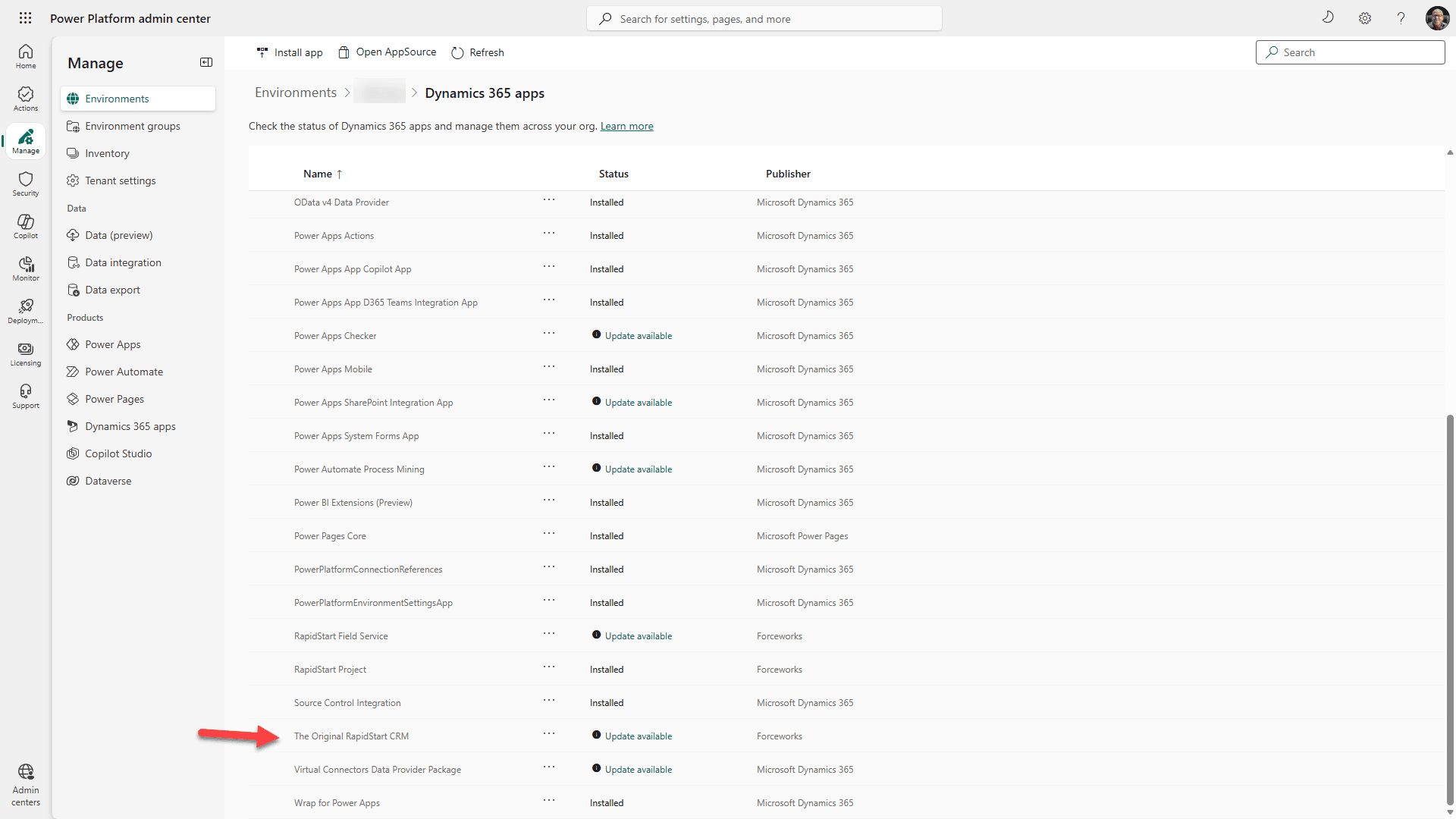
- Find the RapidStart app with an Update available status.
- Click the three dots next to the app and select Update.
- Agree to the terms and click Update to begin.
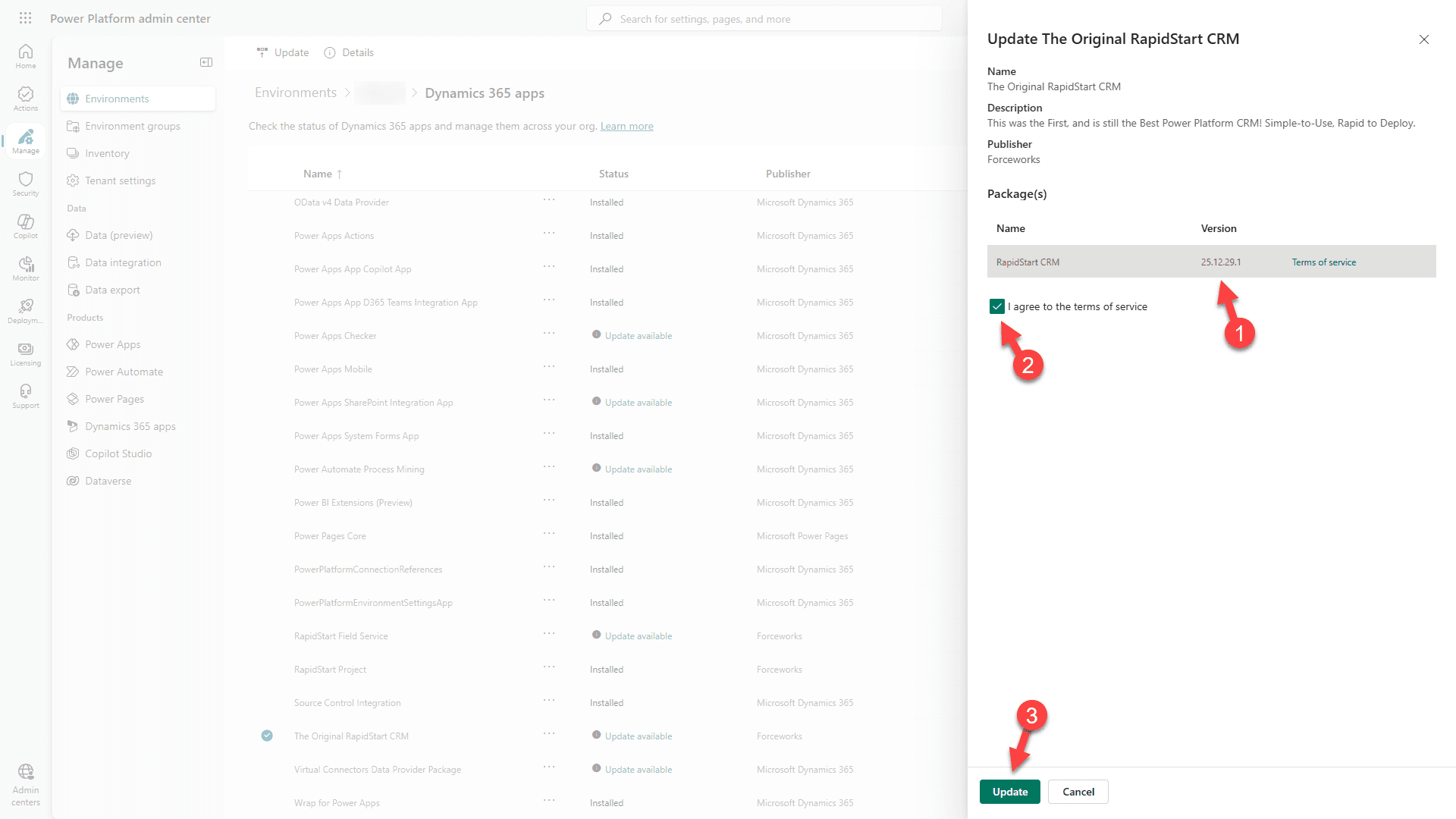
- The update will run in the background. Periodically refresh until the status shows Installed.
Removing RapidStart
⚠️ Before You Remove
Removing a RapidStart App will delete all of its data and customizations from your environment. This action cannot be undone. If you have dependent solutions (such as the Business Central Addon), you must remove those first.
To remove a RapidStart App, you must uninstall it from the Power Platform Admin Center.
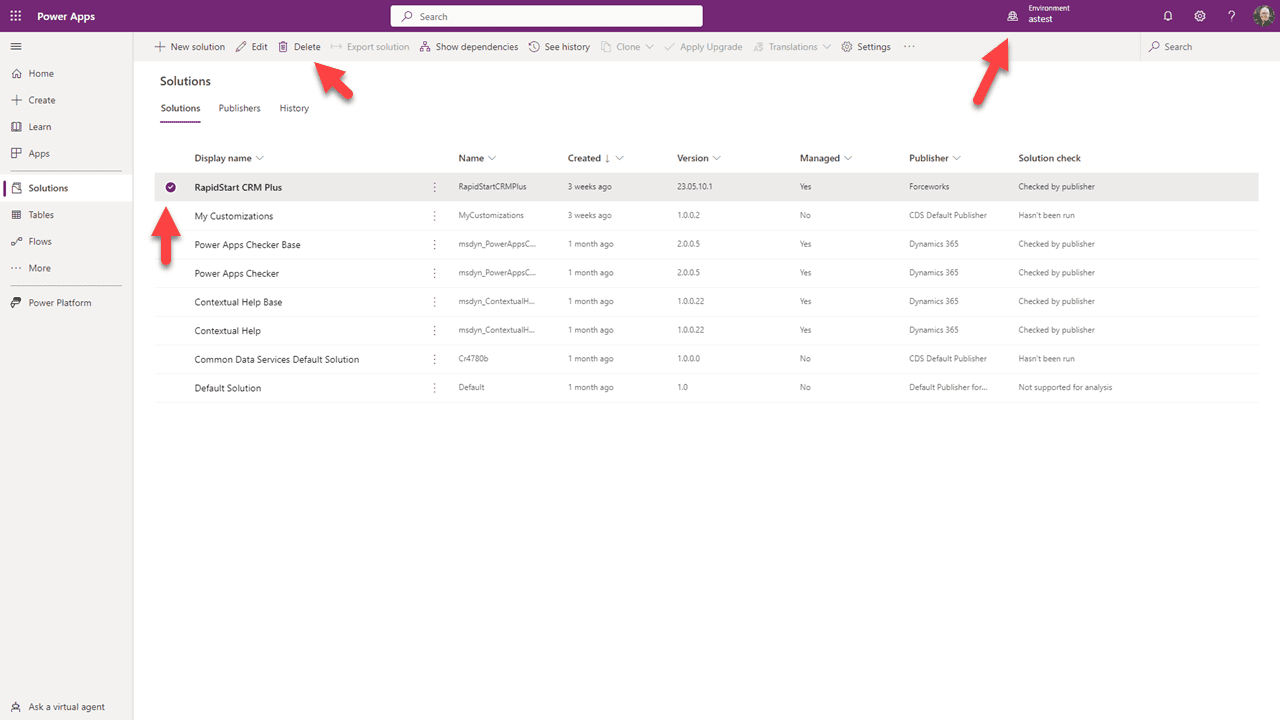
- Go to the Power Platform Admin Center.
- Select your environment and click Resources → Dynamics 365 apps.
- Find the RapidStart app you want to remove.
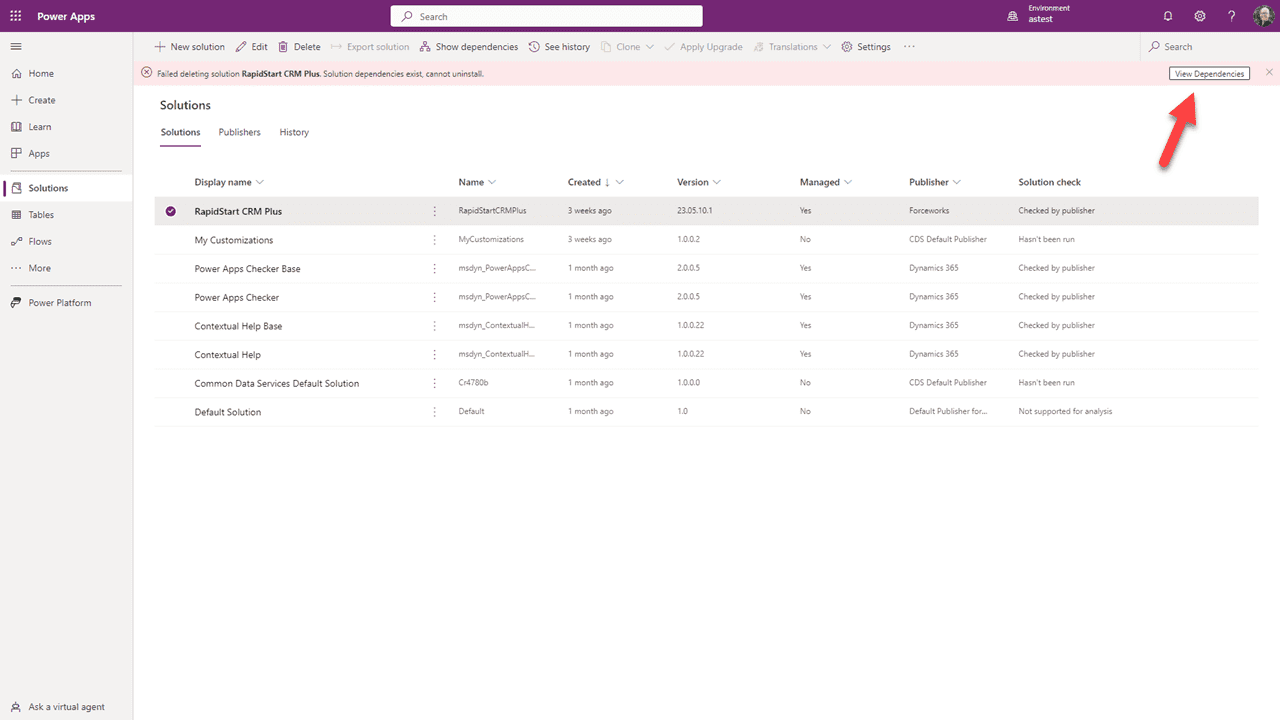
- Click the three dots next to the app and select Delete.
- Confirm the deletion when prompted.
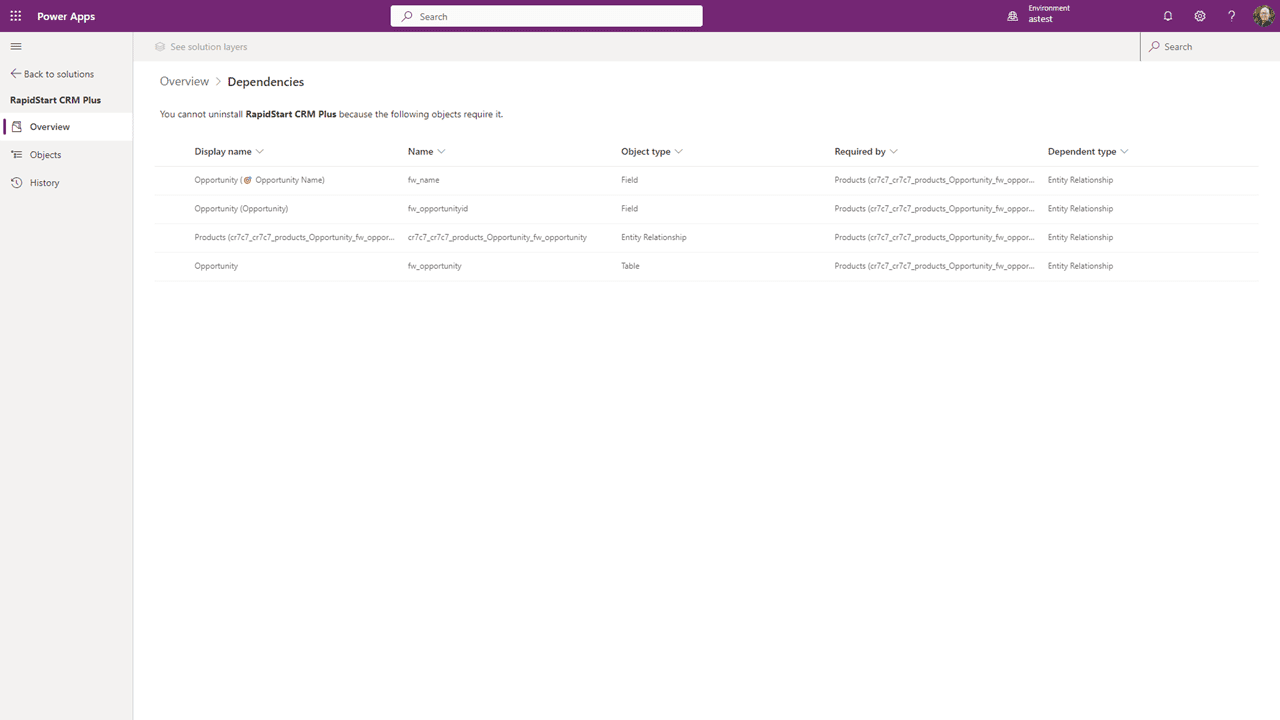
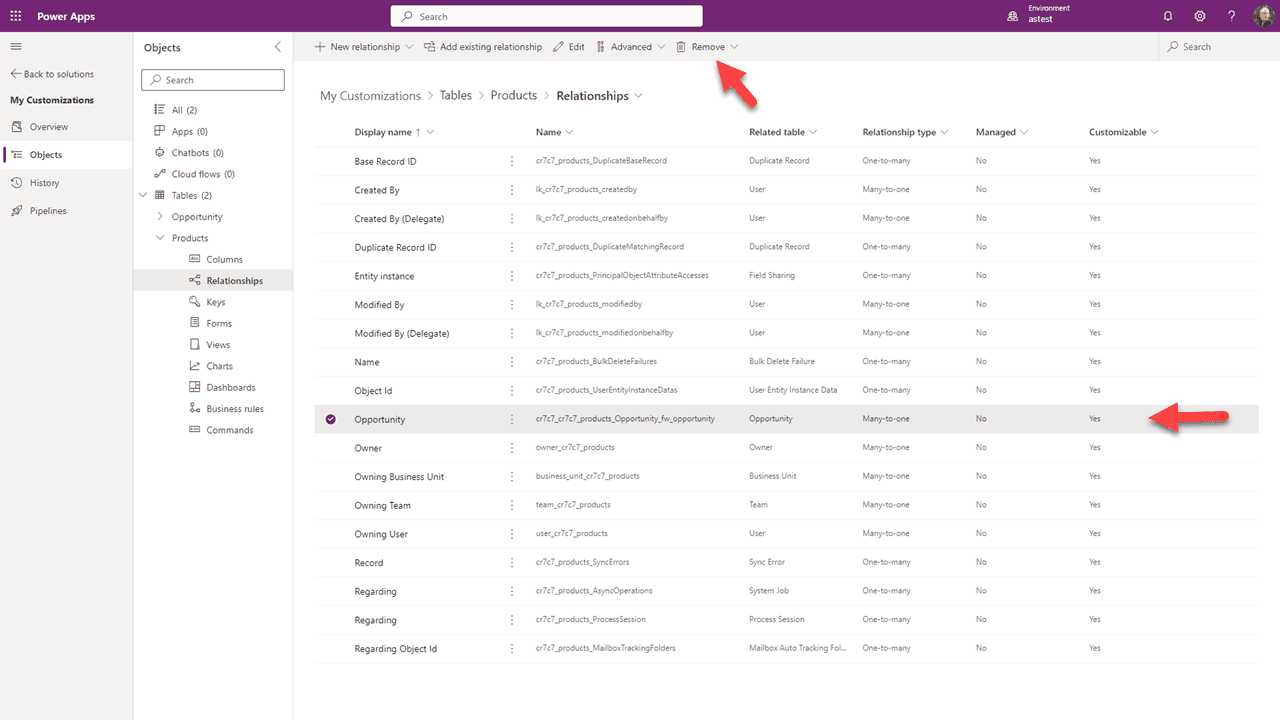
- The removal will run in the background. Refresh periodically until the app no longer appears in the list.